Why TV Ports Deserve Your Attention
When shopping for a television, most attention goes to screen size, resolution, and price. Ports get treated as an afterthought — until you bring the TV home and discover your soundbar, game console, or streaming stick won't connect the way you expected. Understanding what each port actually does takes the guesswork out of setup and helps you avoid paying for connections you'll never use.
For a broader look at how specs work together, see our TV specs decoder — it covers resolution, brightness, and HDR in the same plain-language format.
HDMI: The Port That Does the Most Heavy Lifting
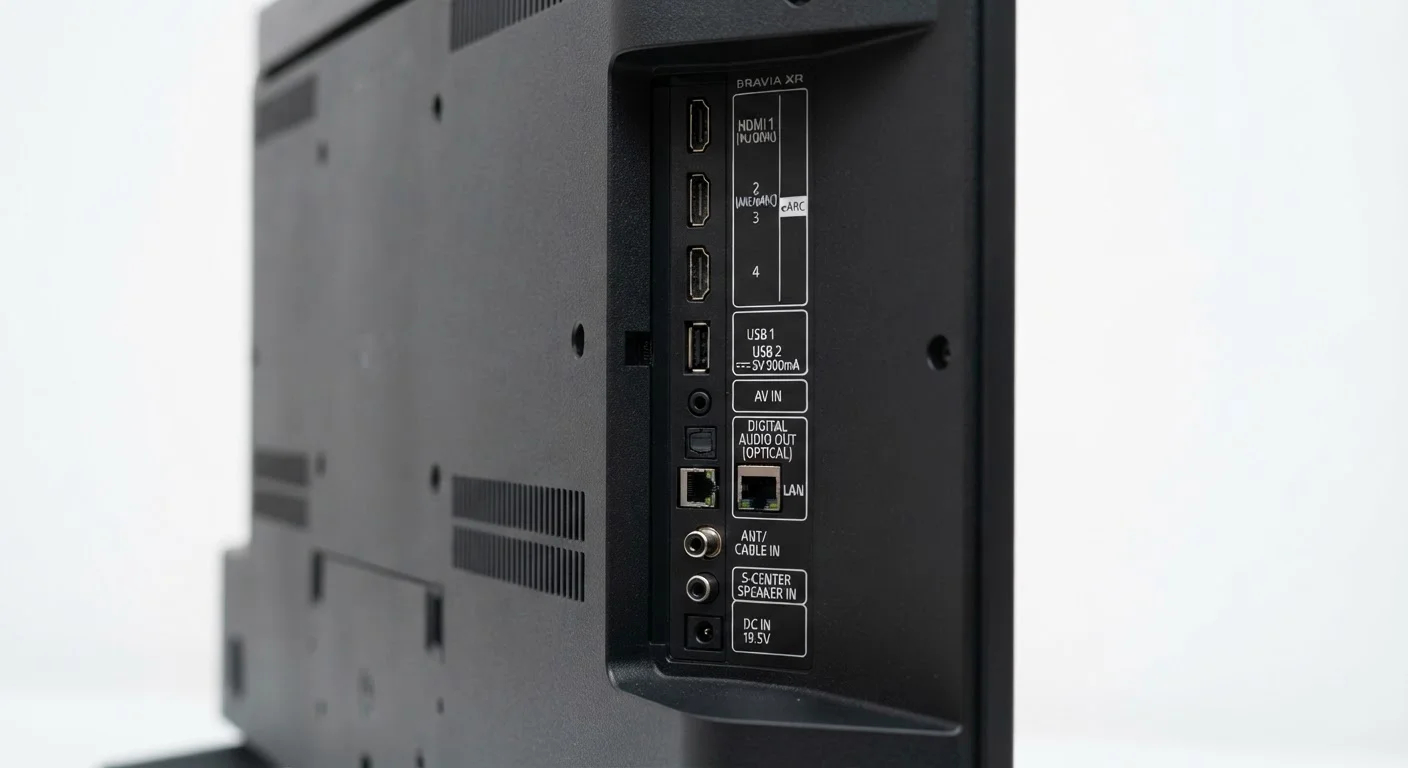
HDMI (High-Definition Multimedia Interface) carries both video and audio over a single cable, making it the primary connection between your TV and most external devices — Blu-ray players, game consoles, cable boxes, and streaming sticks. Not all HDMI ports are equal, however.
HDMI 2.0
Handles 4K video at up to 60 frames per second. This is sufficient for most streaming content and standard cable or satellite boxes. The majority of TVs sold today include at least one HDMI 2.0 port.
HDMI 2.1
Supports 4K at 120fps and 8K video, along with features like Variable Refresh Rate (VRR) and Auto Low Latency Mode (ALLM) — both meaningful for gaming. If you own or plan to own a current-generation game console, connecting it to an HDMI 2.1 port makes a real difference in smoothness. If you only stream movies and TV shows, HDMI 2.1 provides no visible benefit over 2.0.
eARC (Enhanced Audio Return Channel)
Usually found on one designated HDMI port labeled "ARC" or "eARC," this feature lets the TV send audio back to a connected soundbar or AV receiver through the same HDMI cable. eARC supports high-quality audio formats like Dolby Atmos and DTS:X without a separate optical cable. If you use a soundbar, this is the port to use — and eARC is meaningfully better than the older ARC standard it replaced.
Gaming-specific TV features like VRR and ALLM are explained further in our refresh rate guide.
Audio Ports: Optical, Headphone, and What's Disappearing
Optical (TOSLINK)
The optical audio output transmits digital sound to a soundbar or receiver using a fiber-optic cable. It's reliable and widely supported, but it cannot carry the newer object-based audio formats (Dolby Atmos, DTS:X) that eARC handles. If your soundbar only has an optical input, this port works fine for standard surround sound (Dolby Digital 5.1). For premium audio passthrough, eARC is the upgrade path.
3.5mm Headphone Jack
Some TVs include a headphone jack for private listening. It's becoming less common on larger sets, but useful when it's there — especially in shared living spaces. If late-night viewing matters to you, confirm this port is present before purchasing.
For a deeper dive into wireless audio options, our wired vs. wireless home audio guide covers the real tradeoffs between cable and Bluetooth connections.
USB, Ethernet, and the Ports You Can Largely Ignore
USB Ports
USB ports on TVs serve two main purposes: playing media files (photos, videos) from a flash drive, and powering small streaming sticks like a Roku or Fire Stick so they don't need a separate wall outlet. Beyond those uses, most TVs don't do much with USB. Don't let a higher USB port count sway your decision significantly.
Ethernet (LAN)
A wired network connection gives your smart TV a more stable internet connection than Wi-Fi, which can help with 4K streaming in homes where wireless signals are congested. If your TV sits near your router, an ethernet port is worth using. If the TV is far from the router and running a cable isn't practical, Wi-Fi is fine for most households.
Component and Composite Video
These older analog ports — component uses three colored RCA connectors (red, green, blue) for video, while composite uses a single yellow connector — appear occasionally on budget or older TVs. They're included for backward compatibility with older devices like DVD players or legacy game consoles. Image quality through these connections is noticeably lower than HDMI. If you don't own older equipment that needs them, their presence or absence shouldn't factor into your decision.
If your TV doubles as a smart platform hub, the smart TV platform comparison explains how different operating systems affect day-to-day use — which connects directly to how you'll actually use those HDMI ports.
For everything else a first-time buyer needs to consider before committing to a screen, see our complete first-time TV buyer's guide.